
Installing Prosody: Instant Message Chat server for Raspberry Pi / Ubuntu
 At the end of 2013, I wrote a series of tutorials explaining how to run an email server at home on a raspberry pi, which turned out to be very popular. I'm now aiming to do the same for instant messaging. This tutorial will:
- Introduce the Extensible Messaging and Presence Protocol (XMPP), formerly known as "Jabber"
- Discuss some of the pros and cons of XMPP vs some other proprietary protocols
- Give instructions for the installation and configuration of Prosody, a free and open source XMPP server.
- Discuss various important XMPP Extension Protocols (XEPs) and how to enable them
- Cover transport layer encryption (i.e. client-server and server-server TLS) and end-to-end encryption for clients
- Recommend client software for different platforms
Along the way, I'll expose the underlying protocol to give you the tools you need to debug the problem yourself, instead of relying on obscured error messages from GUI applications. This is part 1 of a 2 part tutorial. Part 2 can be found here.
 ModSecurity is a Web Application Firewall: a program that can be used to inspect information as it passes through your web server, intercepting malicious requests before they are processed by your web application. This tutorial will show you how to install ModSecurity on Apache, and configure it with some sensible rules provided by the Open Web Application Security Project's Core Rule Set (OWASP CRS), which will help to protect your server against SQL injection, denial of service attacks, malformed requests, cross site scripting attacks, and more. And yes, you can use this guide with your Raspberry Pi if you're running Raspbian, Ubuntu, or another Debian derivative on it.
 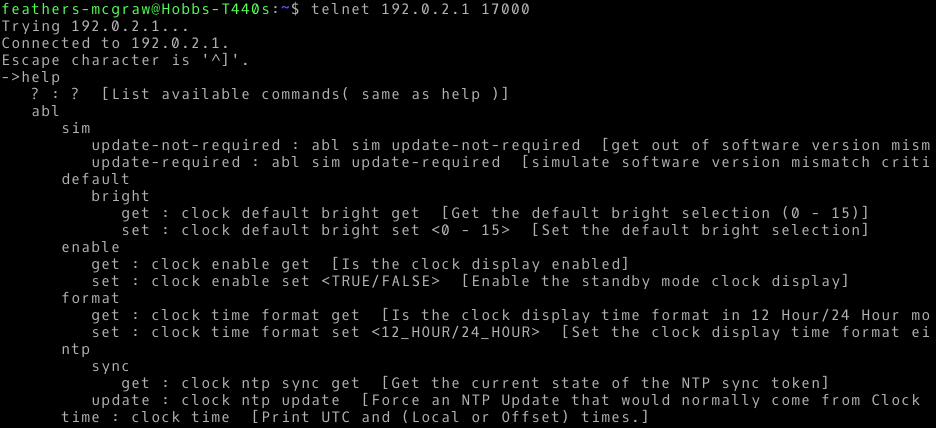 I recently received a Bose SoundTouch 10 speaker as a gift. The speaker itself is great, but I've found some of the features of the Android app don't work very well. Specifically, it seems to have trouble detecting the speaker and connecting to a new wifi network, endlessly looping instead. I was convinced that there must be a way to connect to the device using Linux, and doing a little research online led me to

 Google